 Mobile App Development
 Artificial Intelligence
 Software Development
 Generative AI
 QA & Testing
 UI/ UX Design
 IoT App Development
 Cloud App Development
 MVP Development
 SEO Services
 AI Code Optimization
 AI Integration Services
 Food Delivery
 Taxi Booking
 E-Commerce
 Mobile Game
 Logistics
 Real Estate
 Healthcare
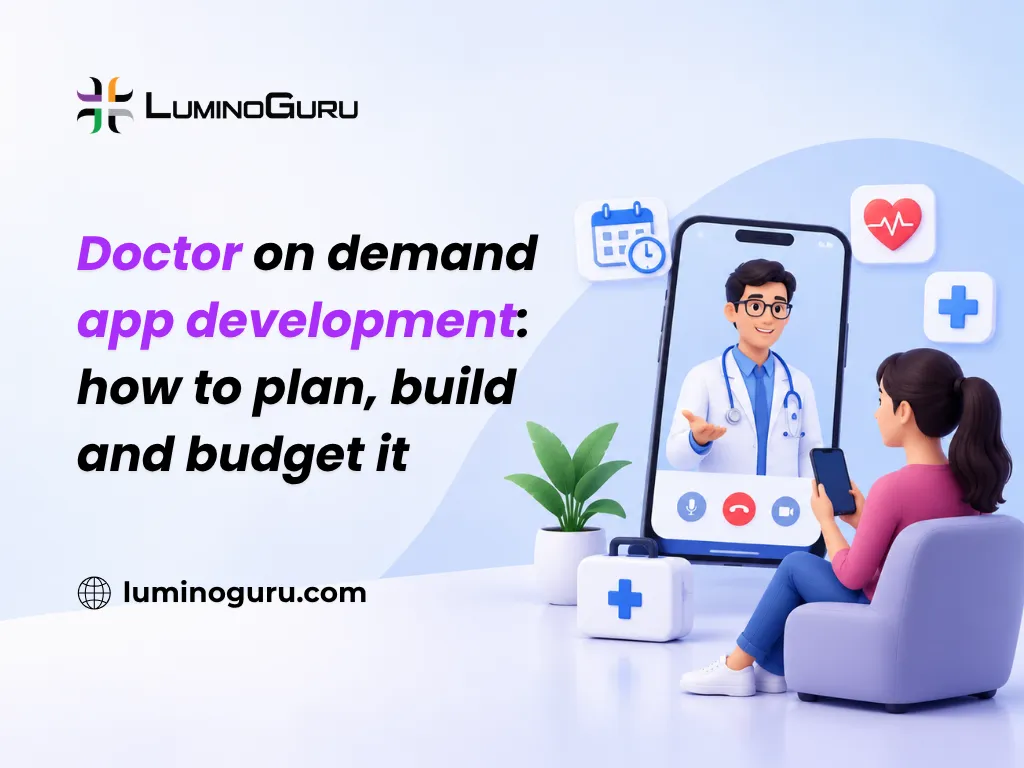
Doctor on demand app development means building a mobile and web platform where patients book a doctor, talk over video or chat, pay, and get a prescription or follow-up. The core build is patient app, doctor app, admin panel, video, payments and secure records. Start with a small version, then add integrations.
Should you build a custom doctor on demand app or use a ready-made one?
Build custom only if your care model, brand or integrations cannot fit a ready-made product. For a single clinic that wants video visits and booking, a white-label telehealth tool is faster and cheaper.
| Option | Best for | Trade-off |
|---|---|---|
| White-label or SaaS telehealth tool | One clinic, quick launch, small budget | Limited changes, monthly fees, shared roadmap |
| Custom build | A marketplace, a new care model, deep EHR links | Higher cost and longer timeline, but you own the product |
| Hybrid (ready-made video and payments inside a custom app) | Most funded startups | You manage several vendors |
Ask yourself three things. Do you need a custom workflow that no product offers? Will you own and grow the patient relationship? Can you fund at least a year of improvement after launch? If the answer to all three is no, buy.
How does a doctor on demand visit actually work?
A visit follows one clear path: the patient finds a doctor, books, pays, joins a video call, gets notes and a prescription, and receives a follow-up. Every feature should support one of these steps.
- Patient signs up and verifies a phone number or email.
- Patient searches by specialty, language, price or availability.
- Patient books a slot (or requests an instant visit) and pays or shows insurance details.
- Both sides get reminders. The doctor sees the patient’s intake form.
- They meet on a secure video or chat session.
- The doctor writes notes and, where allowed, issues a prescription.
- The patient gets a summary, a payment receipt and a follow-up reminder.
Map this on paper before you hire anyone. If a feature does not belong to a step, it is probably not for version one.
What features should version one include?
Version one needs only what makes a paid visit possible: booking, video, payment, records and doctor verification. Everything else can wait.
Patient app:
- Sign up, login and profile
- Doctor search and booking
- Video and chat consultation
- Payments and receipts
- Visit history and prescriptions
- Reminders
Doctor app:
- Verified profile and availability calendar
- Visit queue and video room
- Notes and prescription tools
- Earnings view
Admin panel:
- Doctor verification and approval
- Appointment and payment tracking
- Refunds and complaints
- Reports and audit logs
Add later: AI symptom checks, medical scribes, wearable data, insurance billing, multi-language support and family accounts. A focused MVP development plan lets you test real demand with real doctors before you fund the full list.
Which rules and compliance steps apply?
Rules depend on where your patients and doctors are. Treat compliance as a design input, not a final checklist, because it shapes your data storage, logins and contracts.
- United States: HIPAA governs how health data is stored and shared. The US Department of Health and Human Services explains the rules on its HIPAA information pages. You will also sign Business Associate Agreements with cloud and video vendors.
- European Union and UK: GDPR needs clear consent, data minimisation, user access to their data and fast breach reporting.
- India: telemedicine practice guidelines and data protection law apply. Check the current national rules and any state rules [VERIFY with a local legal expert].
- Doctors: confirm that each doctor is licensed to treat patients in the patient’s region. Cross-region licensing is where many platforms get into trouble [VERIFY by country].
- Prescriptions: rules on what can be prescribed over video differ widely, especially for controlled drugs [VERIFY by country].
In practice, compliance means:
- Encrypting data in transit and at rest
- Role-based access, so staff see only what they need
- Audit logs of who viewed which record
- Written consent for video visits and data use
- A data retention and deletion policy
- Vendor agreements that match your obligations
This is general guidance and not legal advice. Hire a healthcare lawyer for your target market before launch.
What tech stack do you need?
Use proven tools and keep the first version simple. A small team does not need ten microservices on day one.
| Layer | Common choices |
|---|---|
| Mobile apps | Flutter or React Native for iOS and Android from one codebase, or Swift and Kotlin for fully native |
| Web and admin | React or Next.js |
| Backend | Node.js, Python (Django or FastAPI), Java (Spring Boot) or .NET |
| Database | PostgreSQL, with Redis for caching |
| Video | Managed APIs such as Twilio Video, Agora, Vonage or Daily, built on WebRTC |
| Payments | Stripe, Razorpay or a regional gateway |
| Cloud | AWS, Azure or Google Cloud, with a signed BAA where HIPAA applies |
| Notifications | Firebase Cloud Messaging, SMS and email services |
WebRTC is the open standard behind most browser and mobile video. You can learn how it works at webrtc.org. Buying a video API is almost always cheaper than building your own, because call quality across weak networks is hard to get right.
Choose cloud hosting that can grow with you. A well-planned cloud application development setup, with automatic scaling and backups, keeps video visits stable when many patients log in at the same time.
How do you connect to hospital systems and health records?
Use the HL7 FHIR standard, which defines how health data like appointments, prescriptions and lab results are shared through APIs. Start without integrations if you can, then add them one at a time.
HL7 FHIR is supported by many large electronic health record (EHR) systems. Epic, Oracle Health and athenahealth each have their own onboarding and approval process, and it can take months [VERIFY current onboarding steps for each vendor].
A sensible order:
- Launch with your own records inside the app.
- Add pharmacy and lab links for the services you offer most.
- Add EHR integration only when a hospital partner needs it.
Where does AI help, and where should you hold back?
AI is useful for admin work: booking suggestions, reminders, chatbot answers and draft visit notes that a doctor reviews. It should never make a diagnosis or prescribe on its own.
If you add AI, plan for these points:
- A doctor approves every clinical note and decision
- Patients are told when AI is used
- Models are tested on realistic data and monitored after launch
- Patient data used for training is protected and consented
When you are ready, an AI integration partner can connect these tools to your app without rebuilding it. Symptom checkers and clinical scribes carry the most risk, so launch them last, and check whether your region treats them as medical devices [VERIFY regulation].
If your product will track health readings from wearables or home devices, you will also need device connections such as Bluetooth Low Energy. Teams with IoT app development experience can build that part.
What do the app stores and testing need?
Apple and Google both review health apps closely. Prepare clear privacy policies, correct data disclosures and doctor credential details before you submit.
Test these before launch:
- Booking, video, payment and prescription flows on real phones
- Weak network and call-drop recovery
- Double bookings and time-zone mistakes
- Security scan and penetration test
- Load test for peak hours
- Access control, so a patient never sees another patient’s data
A single failed call during a visit costs trust, so give testing real time in the schedule.
How much does doctor on demand app development cost?
For planning, a focused MVP often falls in the tens of thousands of US dollars, a mid-size platform costs more than double that, and an enterprise platform with deep integrations and AI goes into six figures. These are planning ranges, not quotes [VERIFY against current vendor quotes].
| Scope | What you get | Planning range (USD) | Typical time |
|---|---|---|---|
| MVP | Patient app, doctor app, admin, video, payments | 40,000 to 90,000 | 3 to 5 months |
| Mid-size | Plus reminders, chat, reports, pharmacy or lab links | 90,000 to 200,000 | 5 to 9 months |
| Enterprise | Plus EHR integration, AI, multi-region rules, advanced security | 200,000 to 500,000+ | 9 to 15 months |
What moves the price:
- iOS, Android and web together, or just one
- Number of integrations
- Compliance and security depth
- Custom design versus ready design kits
- Team location and seniority
- AI features and their testing
Running costs to plan for each month:
- Video minutes and messaging fees
- Cloud hosting and backups
- Payment gateway fees
- Support staff and doctor onboarding
- Updates and security patches
- App store fees
Maintenance often runs around 15 to 25 percent of the build cost per year, and more for complex products [VERIFY]. Ask vendors to list these costs separately from the build quote.
How can a doctor on demand app make money?
Choose one main model at first and add others after you see how patients behave.
- Pay per visit: simple and easy to explain
- Subscription: works for chronic care or family plans
- Marketplace commission: a share of each visit from independent doctors
- Enterprise licence: clinics and insurers pay to use your platform
- Employer plans: companies pay for staff access
Check your local rules on fee-splitting between platforms and doctors before you set a commission model [VERIFY by country].
What mistakes should you avoid?
- Building every feature before you have 20 real patients and five real doctors
- Ignoring doctor licensing and prescription rules until launch week
- Writing your own video engine
- Storing health data in tools that will not sign a data agreement
- Skipping the doctor side, then losing doctors because the app is slow to use
- Launching AI features without doctor review
- Having no plan to find and keep doctors and patients
The last point matters most. Supply (doctors) and demand (patients) both have to grow, and the app alone does not do that.
Frequently asked questions
How long does doctor on demand app development take? A focused MVP usually takes three to five months. A mid-size platform takes five to nine months, and enterprise builds with integrations and AI can take up to fifteen months or more. Compliance work and integrations are the usual causes of delay.
Is it better to build a custom app or use white-label software? Use white-label when you are one clinic that needs booking and video fast. Build custom when you run a marketplace, need unique workflows, or want to own the product and its data for the long term.
Which video technology is best for telemedicine? WebRTC is the standard base. Most teams use a managed service such as Twilio Video, Agora, Vonage or Daily, because these handle call quality, scaling and recording. Confirm that your vendor will sign the data agreements your region needs.
Does a telemedicine app need to be HIPAA compliant? If you handle protected health information for US patients, yes. That means encryption, access controls, audit logs and signed agreements with vendors. Other regions have their own laws, such as GDPR in Europe, so check your target markets.
Can the app connect with hospital records? Yes, through FHIR APIs or HL7 messages, but each EHR vendor has its own approval process. Most teams launch with their own records first, then add integrations when a hospital partner requires them.
How do I get doctors to join my platform? Make onboarding simple, pay on time, give doctors control of their calendar and keep the app fast. Start with a small group in one specialty and region, and use their feedback to improve before you scale.
Takeaways
Doctor on demand app development works best when you decide first whether to build or buy, keep version one to the steps of a paid visit, and plan for licensing, privacy and prescription rules from the start. Buy video instead of building it, add integrations and AI later, and test with a small group of real doctors and patients.
If you want to scope your first release, you can talk to the Luminoguru team through the contact page. Our mobile app development services page shows how we build apps like this.