 Mobile App Development
 Artificial Intelligence
 Software Development
 Generative AI
 QA & Testing
 UI/ UX Design
 IoT App Development
 Cloud App Development
 MVP Development
 SEO Services
 AI Code Optimization
 AI Integration Services
 Food Delivery
 Taxi Booking
 E-Commerce
 Mobile Game
 Logistics
 Real Estate
 Healthcare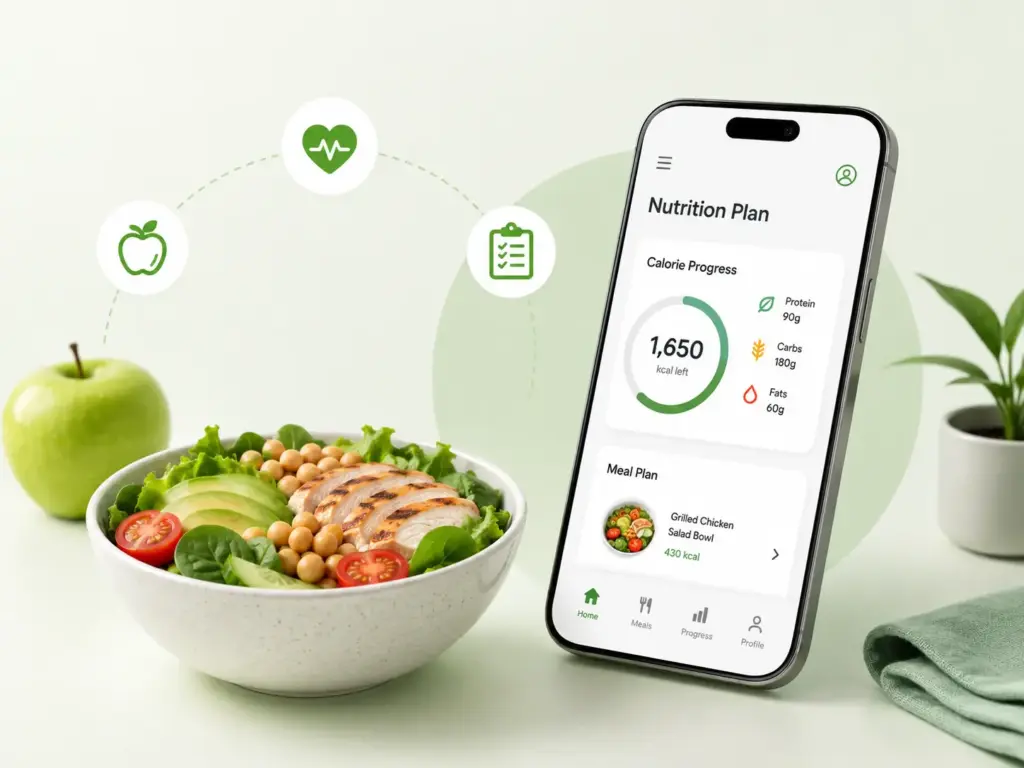
Most people who download a diet or nutrition app stop using it within two weeks. Not because they gave up on their health goals, but because the app made something simple feel complicated.
Logging a meal should take 10 seconds. Checking daily macros should be one tap. Getting a recipe suggestion should feel helpful, not like filling out a form. When these things work well, users come back every day. When they do not, the app ends up sitting unused on the second page of someone’s phone.
That is the real challenge in diet and nutrition app development. The technology is well understood. The hard part is building something people actually want to use every single day, for months, not just the first week after a New Year’s resolution.
This guide covers everything: what types of platforms exist, how to build one step by step, which features matter most, what it costs, how to make money, and the mistakes that trip most development teams up before launch.
Why the Market Is Worth Paying Attention To
The global diet and nutrition app market is projected to reach $4.6 billion by 2030, and the growth is driven by something straightforward. People have access to more information about nutrition than ever before, but most of them still struggle to act on it consistently without some kind of tool or structure helping them.
Smartphones made daily tracking possible for anyone without a personal dietitian. AI has made personalized recommendations accessible without a clinical appointment. Wearables have connected food intake with activity data in ways that give users a complete picture of their health. Together, these changes have created a category of software that is genuinely useful to a very large number of people.
The businesses that are winning in this space are not the ones with the most features. They are the ones that made the core experience of logging food and tracking progress feel effortless.
Types of Diet and Nutrition Apps
Before deciding what to build, it helps to understand which category you are building in. Each type has a different user need, different data requirements, and a different business model.
Calorie and nutrition trackers are the most common. Users log meals by searching a food database, scanning a barcode, or taking a photo. The app calculates calories, macros, and micronutrients. MyFitnessPal and Lose It! are the most well-known examples in this category.
Meal planning and recipe apps go beyond tracking. Instead of just logging what someone ate, these platforms help users plan what they will eat. The app generates weekly meal plans based on goals, dietary preferences, and allergies, and can create shopping lists automatically.
Fitness and nutrition platforms combine food tracking with exercise and recovery data. They pull activity information from wearables and health platforms and show the user a complete energy balance picture rather than food data in isolation.
Condition-specific nutrition apps are built for users managing a specific health condition like diabetes, high blood pressure, or severe food allergies. These platforms need to be more precise and more cautious than general wellness apps. Many require involvement from healthcare professionals and face additional regulatory scrutiny.
Coaching and dietitian platforms connect users with qualified nutrition professionals for personalized guidance. The technology facilitates the relationship rather than replacing it. These platforms need secure messaging, appointment booking, shared progress views, and role-based access so practitioners can see client records without seeing unrelated user data.
Enterprise wellness platforms serve employers, insurers, and health systems rather than individual consumers. They require multi-tenant architecture, organization management, group reporting, and single sign-on. The individual user experience may be similar to a consumer app, but the underlying infrastructure is significantly more complex.
How to Build a Diet and Nutrition App: Step by Step
Step 1: Define the Product Scope
The first question is not what features to build. It is who the product serves and what specific problem it solves for them.
A corporate wellness platform for a health insurer has different users, different data requirements, and different compliance obligations than a consumer calorie tracker for someone trying to lose weight before a wedding. Trying to serve both audiences with the same product usually means serving neither of them well.
Write down the primary user, the core problem the app solves for them, the workflows they will go through every day, and what success looks like for them after three months of using the app. That document becomes the foundation for every feature decision that follows.
Step 2: Research and Wireframe Before You Design
Food logging happens multiple times a day. If the logging flow requires more than a few taps, users will start skipping meals, which defeats the entire purpose of the app.
Before any visual design work begins, map the core user flows as simple wireframes. Test them with real people who fit the target user profile. Watch where they get confused, where they slow down, and where they make mistakes. The insights from this stage cost a fraction of what redesigning after development begins would cost.
Accessibility matters here too. Font sizes, color contrast, touch target sizes, and screen reader compatibility need to be considered in the wireframe stage, not as an afterthought before app store submission.
Step 3: Design the System Architecture
A nutrition app handles a specific combination of data that shapes the architecture: food database records, user intake logs, daily targets, recipe data, health device syncs, and potentially clinical information if the product serves a medical use case.
The backend should separate these into distinct services rather than building one large, tangled system. User identity, food records, meal logs, target calculations, meal planning, subscriptions, notifications, and analytics each work best as independent modules that communicate through well-defined interfaces.
Food databases need careful data modeling. A single food item connects to multiple serving sizes, each with its own nutrient values. Recipes connect multiple ingredients, each of which can be adjusted. User logs reference specific servings at specific times. Getting this data model right from the start prevents expensive restructuring later.
Caching matters more than most teams expect on their first nutrition app. Popular food items, recent user logs, and current target calculations should be served from a fast cache layer rather than hitting the database on every tap. This is what keeps the app feeling instant rather than slightly laggy.
Step 4: Build the Mobile and Backend Applications
The mobile app development phase covers everything users interact with directly: the food search and logging interface, barcode scanner, meal planner, progress dashboards, recipe browser, notification center, and account settings.
The backend handles everything users do not see: API endpoints, authentication, permission controls, food database integration, data processing, admin tools, and the business logic that ties everything together.
Both sides need to be built with the daily usage pattern in mind. This app will be opened three to five times a day by active users. Performance on the core logging flow matters more than the sophistication of secondary features.
For teams choosing between native iOS and Android development versus cross-platform frameworks like Flutter or React Native, the honest answer for most nutrition apps is that cross-platform works well. The core functionality does not require deep device-specific capabilities, and building and maintaining one codebase is significantly more efficient than maintaining two.
Step 5: Integrate the Data Sources
A nutrition app’s value depends largely on what data it can connect with.
Food databases are the most important integration. Options include the USDA FoodData Central database (free, comprehensive for US foods), commercial databases like Nutritionix or Edamam (broader global coverage, paid licensing), and barcode scanning services that link product barcodes to nutrition information. Most production apps combine more than one source to maximize coverage.
Health platform integrations with Apple HealthKit and Google Health Connect pull activity data, step counts, heart rate, sleep data, and body measurements from wearables and other health apps. These integrations need careful handling because both platforms have specific permission requirements and users need to explicitly authorize data sharing.
Wearable device connections add real-time activity data that changes how the app calculates energy balance and daily targets. The challenge is that different devices use different units, timestamps, and data formats. A normalization layer that standardizes all incoming device data before it enters the app’s own data model prevents format inconsistencies from spreading through the system.
Step 6: Add AI and Smart Features
AI features in nutrition apps fall into a few clear categories, and each one has a different implementation approach.
Photo recognition lets users photograph a meal and have the app identify what is in it. This is genuinely useful for reducing manual logging friction, particularly for mixed dishes where searching a database does not work well. The accuracy of current models on clear photos of common dishes is strong. The honest caveat is that portion size estimation from a photo is still imprecise, so the interface should let users confirm and edit quantities rather than treating the AI estimate as final.
Recommendation engines suggest meals, recipes, and foods based on a user’s targets, preferences, history, and any dietary restrictions. The useful implementation detail here is that hard-coded rules need to sit on top of the recommendation model to block allergens and other prohibited items before any suggestion reaches the user. Machine learning should handle ranking. Rules should handle safety.
AI-powered chat or coaching uses large language models to answer nutrition questions, suggest recipe substitutions, and provide guidance. The critical design decision is keeping this grounded in verified nutritional data through retrieval mechanisms rather than letting the model answer freely. An AI that confidently provides wrong calorie information is worse than no AI at all. Our generative AI development services help businesses build this kind of grounded, reliable AI layer rather than one that sounds good in a demo but fails in production.
Step 7: Test Everything Properly
Testing a nutrition app goes beyond standard software QA. Calorie calculations and macro totals need to be verified against known values. Unit conversions between grams, ounces, and portion measurements need to be accurate. Barcode lookups need to return the right product data. Device sync needs to be tested across different wearable models and operating system versions.
Security testing is essential if the app handles any kind of health data. Authentication flows, permission controls, API endpoints, and data encryption all need to be verified through a proper QA and testing process before any real user data enters the system.
AI components need their own validation. Photo recognition accuracy should be measured across a diverse set of foods. Recommendation quality should be evaluated against defined criteria. Output safety checks should confirm that no suggestion violates dietary restrictions or contains prohibited ingredients.
Step 8: Launch and Keep Improving
Launch is when you find out what you got wrong. Every nutrition app discovers things after real users start using it that were not visible in testing. Features that seemed important get ignored. Flows that seemed obvious confuse real users. Data that seemed complete has gaps in foods people actually eat.
Plan for a rapid iteration cycle in the first 90 days after launch. Track which features are used, where users drop off, and what the most common support questions are. Use that data to drive the first round of improvements rather than building the next batch of planned features without checking whether the existing ones are working.
Key Features That Matter Most
Some features define the category and need to be present from day one. Others are differentiators that become relevant once the core experience is solid.
Food database and logging is the foundation. Users need to find what they ate quickly, in a format that matches how they think about food (a cup of oats, two eggs, a medium banana), and have it logged in a few seconds. Barcode scanning for packaged foods needs to be fast and accurate. Voice input for hands-free logging is increasingly expected.
Macro and micronutrient tracking shows users not just calories but protein, carbohydrates, fats, fiber, and key vitamins and minerals. The visual design of how this information is displayed matters as much as the accuracy of the data.
Goal setting and progress tracking gives users something to move toward. Daily calorie targets, macro ratios, body weight trends, and streak tracking all contribute to the sense of momentum that keeps users engaged beyond the first few weeks.
Meal planning and recipe integration is the feature that separates apps users open daily from ones they open occasionally. When the app can tell someone what to eat for the week, generate a shopping list, and let them log those meals with a single tap, it becomes genuinely integrated into their routine.
Wearable and health platform integration closes the loop between what users eat and how active they are. Connecting food intake with calorie burn gives users a complete picture of their energy balance rather than just one side of it.
AI-powered suggestions and coaching personalizes the experience beyond what static meal plans and generic advice can do. When done well, it makes the app feel like it knows the user rather than treating everyone the same.
Push notifications and reminders drive daily active use when implemented thoughtfully. When over-used or poorly timed, they become the reason users disable notifications and eventually delete the app. Give users control over frequency and timing from the start.
Technology Stack
The right technology stack for a nutrition app depends on the scale you are building for and the platforms you need to support.
| Layer | Recommended Options |
|---|---|
| Mobile | Flutter or React Native for cross-platform, Swift for iOS-only, Kotlin for Android-only |
| Backend | Node.js or Python |
| API Design | REST for standard operations, GraphQL for flexible data queries |
| Main Database | PostgreSQL |
| Cache Layer | Redis |
| AI and ML | Python with PyTorch or TensorFlow for custom models, OpenAI or Anthropic APIs for language features |
| Health Integration | Apple HealthKit, Google Health Connect |
| Food Database | USDA FoodData Central, Nutritionix, Edamam, or a combination |
| Cloud Infrastructure | AWS, Google Cloud, or Azure |
| Analytics | Any standard BI tool connected to a data warehouse |
Cross-platform frameworks like Flutter and React Native are the right starting point for most teams. The performance difference from native development is not significant enough to justify the cost of maintaining two separate codebases for a nutrition app.
What Does It Cost to Build a Diet and Nutrition App?
Costs vary based on which type of platform you are building, how many integrations it needs, and whether AI features are part of the initial scope.
| Product Type | Approximate Cost |
|---|---|
| Basic MVP with food logging and tracking | $50,000 to $100,000 |
| Mid-level app with meal planning and wearable sync | $100,000 to $200,000 |
| Advanced platform with AI coaching and multiple integrations | $200,000 to $500,000 |
| Enterprise wellness platform with multi-tenant architecture | $500,000 and above |
The factors that push costs higher are worth understanding individually.
Food database licensing is a recurring cost that many teams miss in initial budgets. Commercial food databases charge monthly or annual fees for API access, and those fees scale with usage. Budget for this from day one.
AI feature development adds meaningful cost because it involves model selection or training, retrieval system setup, prompt engineering, safety testing, and ongoing monitoring after launch. It is also where some of the highest user value comes from, so it is usually worth the investment when done properly.
Wearable and health platform integrations add development time for each connection. The complexity is not just in writing the integration code but in handling the different data formats, permissions, and edge cases that come with each platform.
Compliance requirements vary by the type of data the app handles and the markets it serves. GDPR applies to EU users. HIPAA applies to apps handling clinical data in the US. California’s CCPA applies to California users. Building compliance in from the start is significantly cheaper than retrofitting it later.
Ongoing costs after launch include cloud infrastructure (which scales with user count), food database licensing, AI API fees (which scale with usage), and engineering time for updates, security patches, and new features.
How to Make Money From a Nutrition App
Most successful nutrition apps combine two or three revenue streams rather than depending on just one.
Freemium subscriptions are the most common model. Free access to basic food logging, premium access to meal planning, detailed analytics, AI coaching, and advanced features. The key is making the premium tier genuinely more useful rather than gating features that users reasonably expect in a free product.
Coaching and consultation packages bundle access to human dietitians or nutritionists with the app experience. This commands significantly higher pricing than pure software subscriptions and creates a stickier product because the user is investing in a relationship, not just a tool.
Corporate wellness contracts are often the highest-value revenue stream for platforms that can serve employers. Companies pay for employee wellness programs, and a nutrition platform that provides participation reporting and aggregate health trend data has a clear business case for HR departments.
Food and grocery partnerships create revenue when the app connects meal plans to grocery ordering. The platform takes a commission or referral fee when users purchase ingredients through a partner grocery or meal kit service.
Health provider partnerships connect the platform with clinical teams who want visibility into patient nutrition between appointments. These relationships typically come with higher data security requirements but also with more predictable, longer-term revenue.
Common Mistakes That Hurt Nutrition Apps
Overcrowding the logging interface. Every additional field, option, or confirmation step in the food logging flow reduces the likelihood that users will complete the action. The logging experience should be optimized relentlessly for speed.
Building AI features before the data foundation is solid. AI recommendations are only as good as the data they are based on. An app with a patchy food database and incomplete user logs will produce AI suggestions that feel random or wrong. Fix the data first.
Ignoring the notification experience. Reminders and alerts are one of the most powerful retention tools available. They are also one of the fastest ways to annoy users into deleting the app. Default to fewer, better-timed notifications and give users full control over what they receive and when.
Underestimating the food database problem. Global food coverage is genuinely hard. Regional brands, restaurant items, home-cooked dishes, and foods common in specific cultural cuisines are often missing from commercial databases. Have a plan for how users handle foods that are not in the database, because it will happen constantly.
Treating compliance as an afterthought. If the app handles any health data, the data protection, consent management, and security architecture need to be built in from the start. Discovering GDPR or HIPAA requirements six months into development is an expensive problem to fix.
Not planning for the retention cliff. Most apps see significant user drop-off after the first two to four weeks. The features that drive retention (habit streaks, progress milestones, AI coaching, social elements) need to be prioritized alongside the features that drive initial downloads.
Final Thoughts
Building a diet and nutrition app that people actually use long term is harder than building one that looks impressive in screenshots. The difference comes down to how well the core daily experience is designed and how reliably the data behind it performs.
The businesses that succeed in this category share a consistent pattern. They started with a specific audience and a specific problem rather than trying to serve everyone. They invested in making the logging experience fast before adding advanced features. They treated data quality as a product feature, not an infrastructure concern. And they planned for retention from day one rather than treating launch as the finish line.
At Luminoguru, we build nutrition and health apps that are designed to be used, not just downloaded. If you are working out what your product needs to look like and what it would realistically cost to build, we are ready to work through it with you.
Frequently Asked Questions
How much does it cost to build a diet and nutrition app?
A basic MVP with food logging, calorie tracking, and a food database typically costs $50,000 to $100,000. A mid-level platform with meal planning, wearable integration, and multiple payment options usually runs $100,000 to $200,000. An advanced platform with AI coaching, multi-source integration, and enterprise features can cost $200,000 to $500,000 or more.
How long does diet and nutrition app development take?
A focused MVP takes 3 to 6 months from requirements to launch. A full-featured platform with AI, wearable integrations, and enterprise capabilities typically takes 6 to 12 months. Compliance requirements, multi-platform development, and third-party integrations are the most common factors that extend timelines.
What food database should I use?
The USDA FoodData Central database is free and comprehensive for US foods. Commercial databases like Nutritionix and Edamam offer broader global coverage and are available through paid APIs. Most production apps combine more than one source to maximize the range of foods users can find quickly.
How do I keep users engaged after the first two weeks?
The features that drive long-term retention are habit streaks and milestone tracking, AI-generated suggestions that improve with use, meal planning that reduces the daily decision of what to eat, and social or community elements that create accountability. Build these with the same priority as the features that drive initial downloads.
Should I build native iOS and Android apps or use a cross-platform framework?
For most nutrition apps, cross-platform development using Flutter or React Native is the right choice. The performance difference from native development is not significant enough to justify the cost of building and maintaining two separate codebases. Native development makes sense when the app needs deep access to device-specific hardware.
What compliance requirements apply to nutrition apps?
This depends on the type of data the app handles and the markets it serves. GDPR applies to EU users. CCPA applies to California users. HIPAA applies if the app handles clinical health information. These requirements need to be built into the architecture from the start, not added before launch.
Can an AI chatbot in a nutrition app give medical advice?
No, and it should be explicitly designed not to. AI coaching in nutrition apps should be grounded in verified nutritional data and clearly positioned as wellness guidance, not medical advice. High-risk queries about managing medical conditions should trigger referrals to qualified professionals rather than automated responses.